How to increase a mailbox storage quota
Every mailbox has a storage quota. When it is full, new email bounces back to the sender. You can raise the limit — or free up space — in CHPanel in a few clicks.
Raise the quota
- Sign in at https://chpanel.bphost.biz with the email address on your hosting account and your CHPanel password (both are in your welcome email).
- Click the Email tab, then Email Accounts. The summary at the top shows how many mailboxes are near their quota.
- Find the address and click Quota.
- Enter a higher limit in MB (for example 2048 for 2 GB), or 0 for unlimited, and save.
Free up space instead
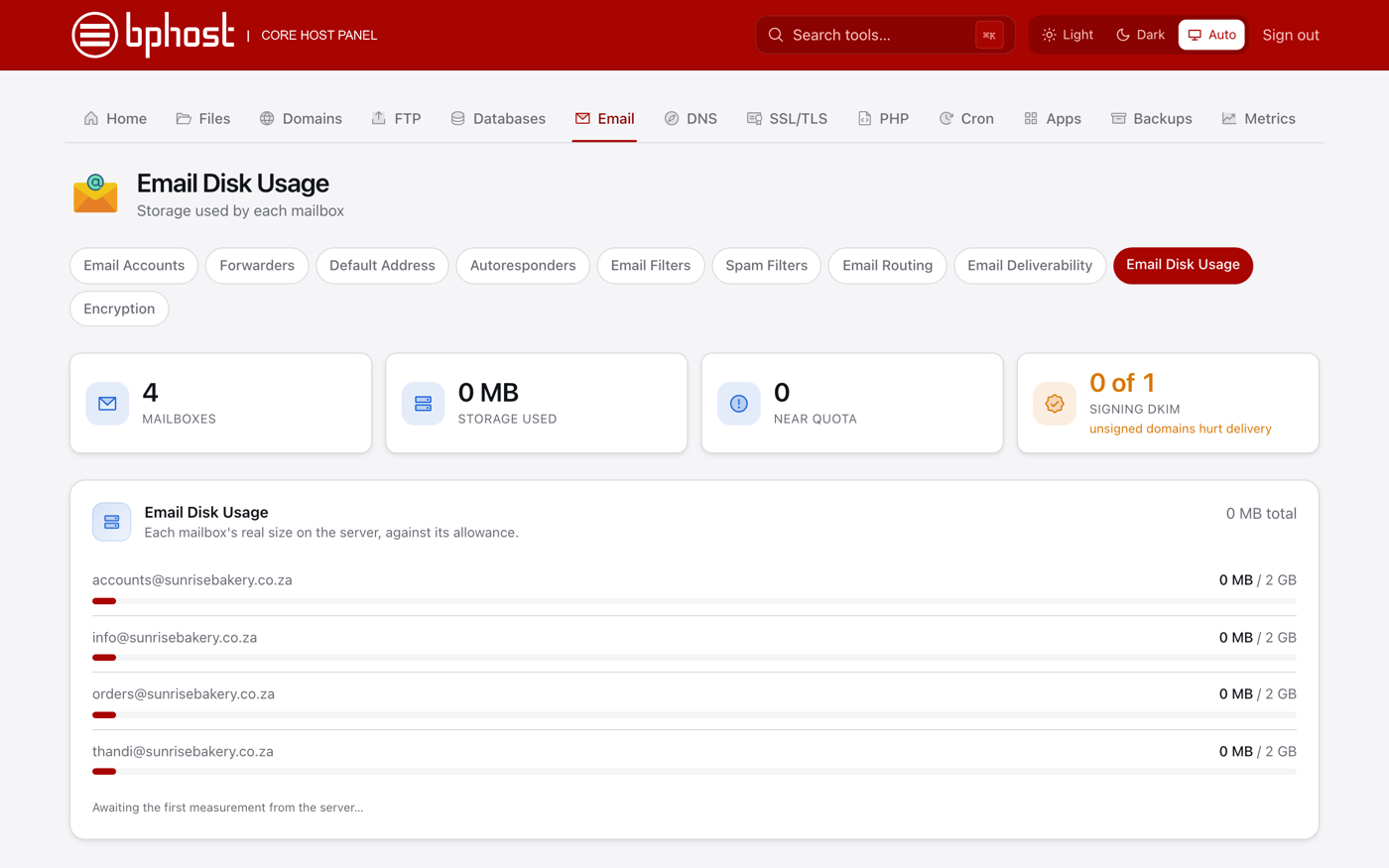
- On the Email tab, open Email Disk Usage (or click Disk usage next to the address).
- You will see the size of each folder in the mailbox. Click Manage next to a folder to delete old or large messages, or to empty Trash and Junk.
- CHPanel shows a preview of what will be removed — check it, then confirm.
Good to know
- Using IMAP on several devices? They all share the same mailbox space.
- Mail is part of your hosting account's total disk space, shown under Statistics (Account Disk) on the CHPanel Home page.
Out of account space overall?
If the whole account is near its disk limit, raising one mailbox will not help for long. Open a support ticket and we will help you upgrade your plan.