How to change your email password
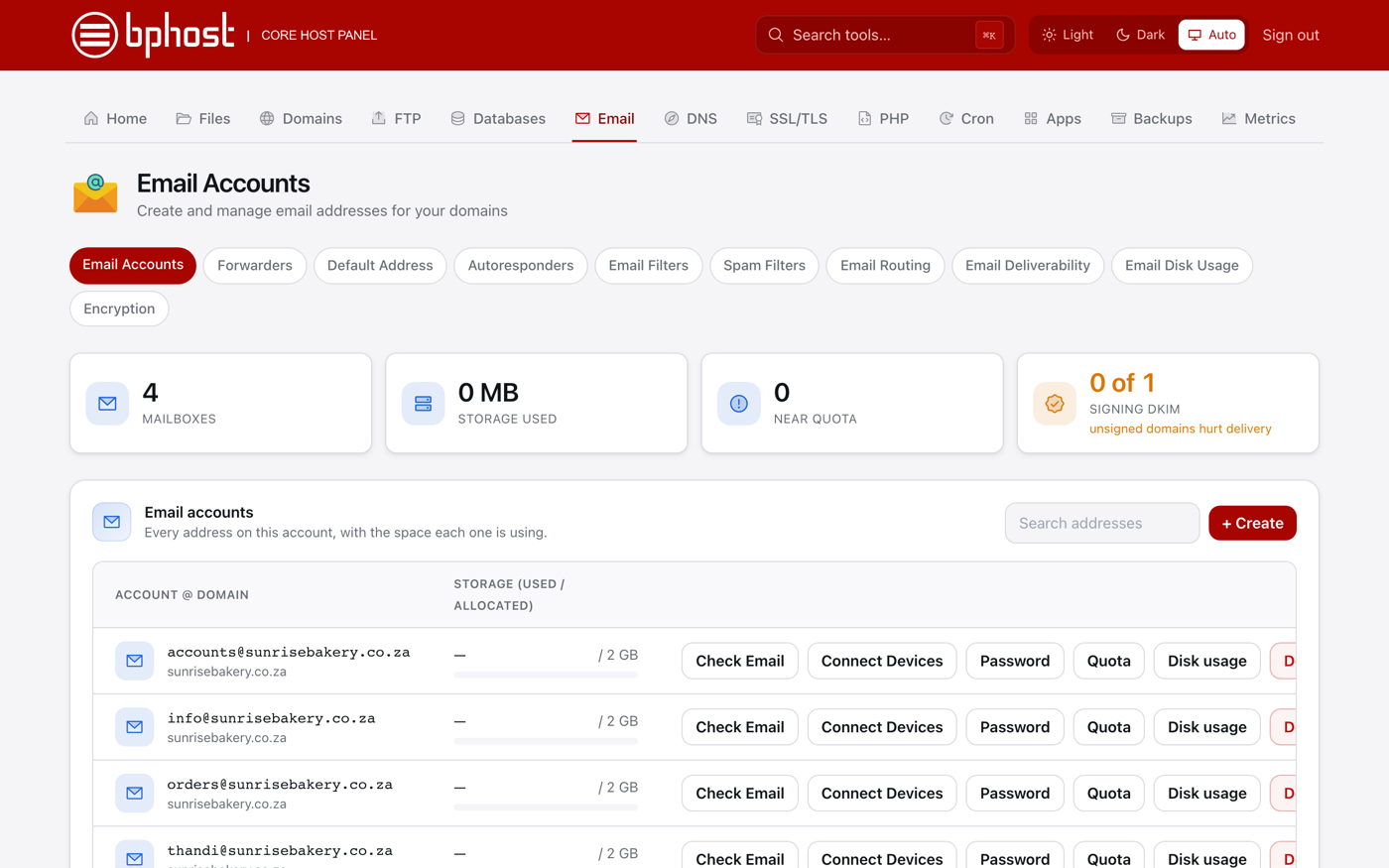
It is good practice to change a mailbox password now and then, and straight away if you think it has been compromised. Email passwords are changed in CHPanel under Email Accounts.
Change it in CHPanel
- Sign in at https://chpanel.bphost.biz with the email address on your hosting account and your CHPanel password (both are in your welcome email).
- Click the Email tab, then Email Accounts.
- Find the address in the list and click Password.
- Enter a strong, unique new password — the password generator can create one for you — and save.
Update your devices
The change is immediate. Update the password everywhere you check that mailbox — your phone, Outlook, Apple Mail or other apps — or they will stop connecting and show login errors. Webmail at https://webmail.bphost.biz uses the new password too.
Not the account owner?
Only the hosting account owner can reset an email password. If you use a mailbox on someone else's hosting account, ask them to change it for you in CHPanel.
Forgotten the CHPanel password too?
There is no "forgot password" link on the CHPanel login page. Open a support ticket and we will reset it for you. Your client-area password is separate again and can be reset at https://www.bphost.biz/my/pwreset.php.