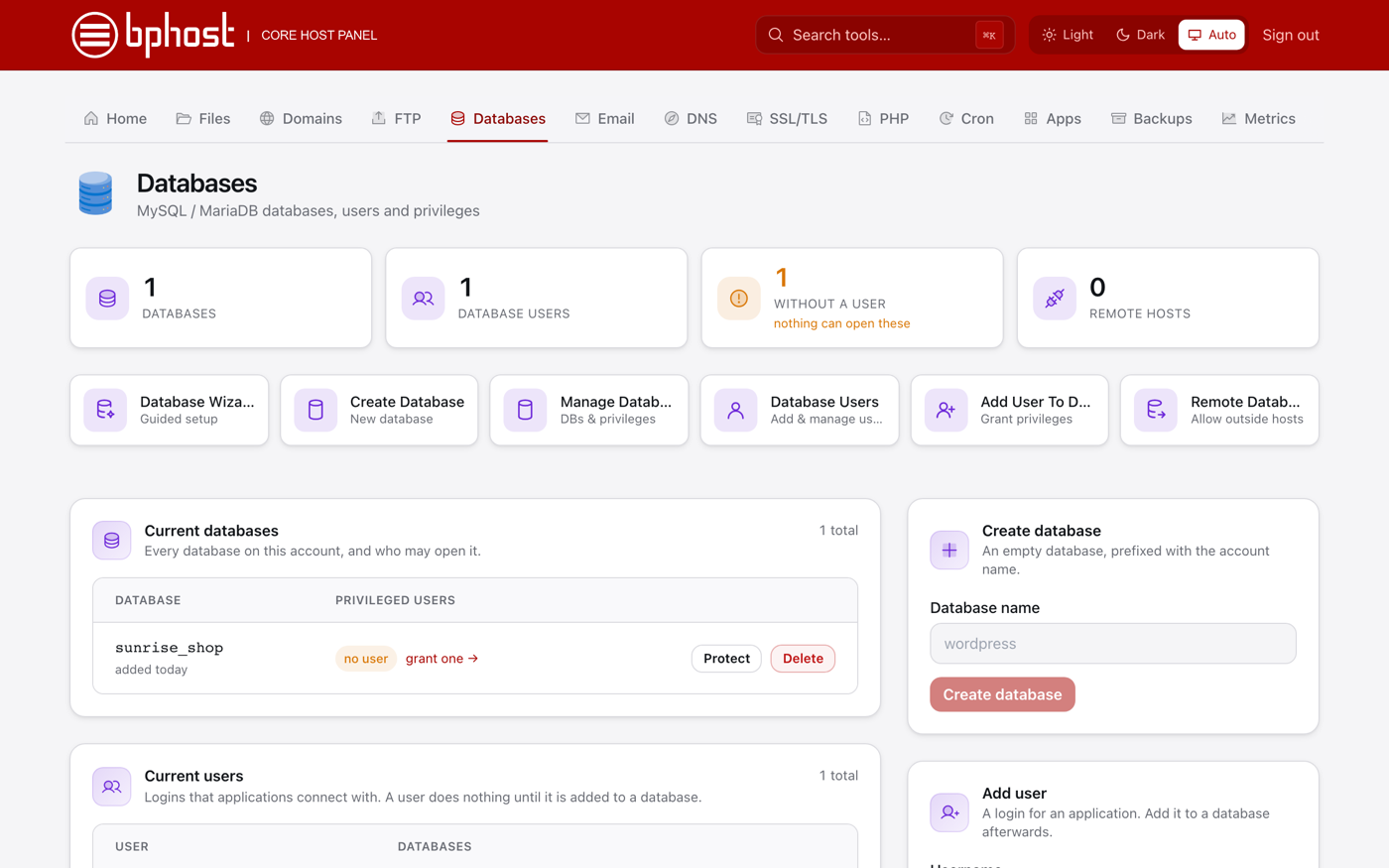
How to create a MySQL database in CHPanel
Many website apps (including WordPress) need a MySQL database. CHPanel's Database Wizard creates the database and a user with access to it in one go.
Create the database and user
- Sign in to CHPanel and open the Databases tab.
- Click Database Wizard.
- Type a name for the database. CHPanel adds your account username as a prefix, so shop becomes something like sunrise_shop.
- Create a database user with a strong password. The user is prefixed the same way, for example sunrise_shopuser.
- Grant the user access to the database to finish.
Note your details
Write down the full database name, username and password — you need them when you install your app. In your application's config file the database host is localhost.
Managing databases
Manage Databases lists your current databases with their users, links to change grants, and Delete. Prefer one step at a time? Use Create Database, Database Users and Add User To Database. Installing WordPress from the Apps tab creates its database for you.
Importing or exporting data
phpMyAdmin is not available on the BPHOST server at the moment. To import or export a database, use your application's own backup or migration tools, or open a support ticket and attach the dump file — we will import or export it for you.