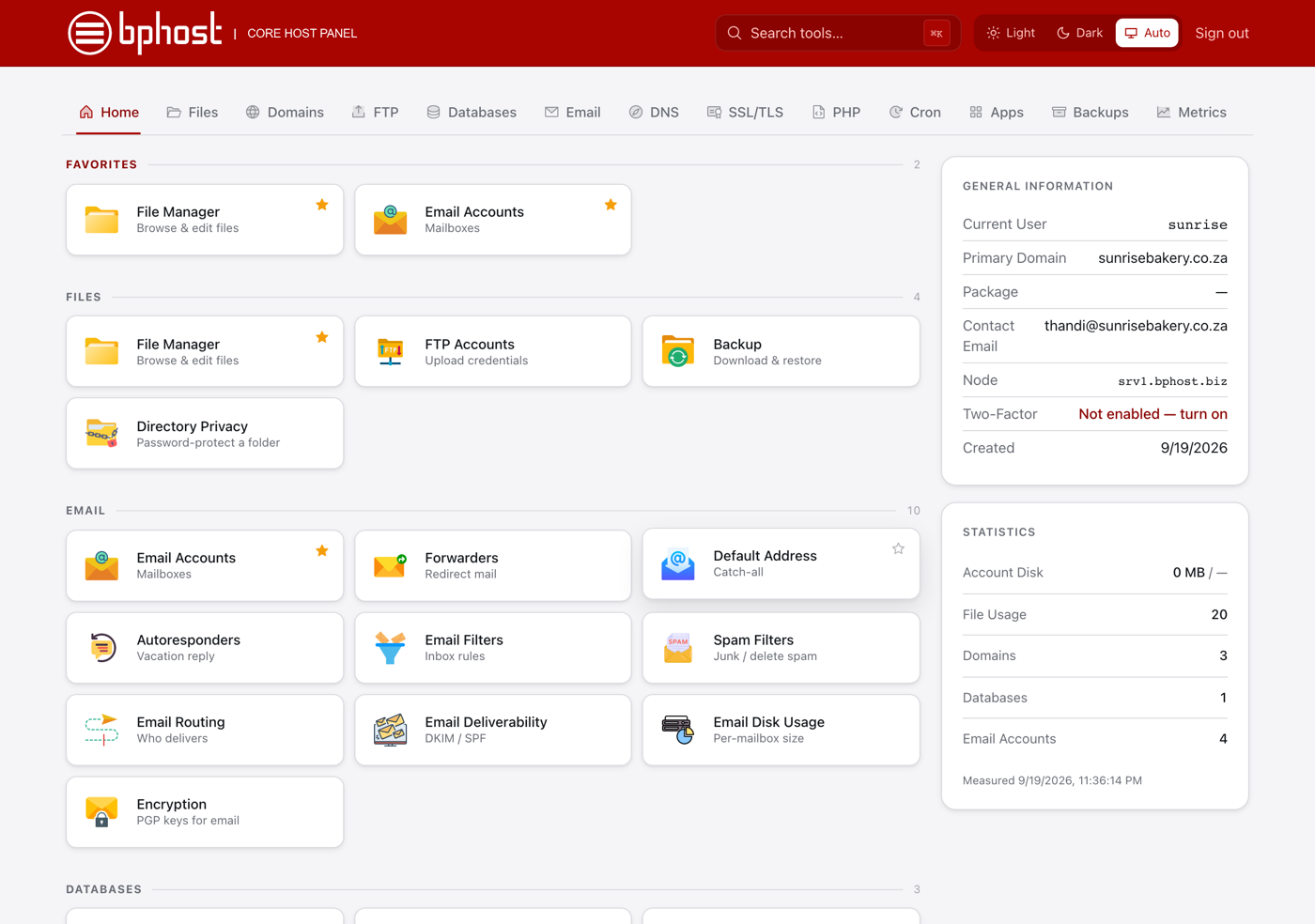
A tour of your CHPanel home page
CHPanel puts every hosting tool on one screen. Here is a quick tour of the Home page so you know where things live.
The tab bar
Across the top are tabs for each area: Home, Files, Domains, FTP, Databases, Email, DNS, SSL/TLS, PHP, Cron, Apps, Backups, Metrics, Security and Server. Click one to go straight there — Email for mailboxes and forwarders, Apps to install WordPress, Backups to restore.
The tool tiles
The Home tab shows a grid of tiles grouped by purpose (familiar if you used cPanel before): Files (File Manager, FTP Accounts, Backup, Directory Privacy), Email (Email Accounts, Forwarders, Autoresponders, Spam Filters and more), Databases (Database Wizard, Manage Databases), Domains (Subdomains, Addon Domains, Redirects, Zone Editor), Security (SSL/TLS, IP Blocker, Two-Factor Authentication), Software (App Installer, Select PHP Version) and Advanced (Cron Jobs, Errors, Terminal and others).
Favorites
Click the star on any tile to pin it to the Favorites group at the top of the Home page — handy for the two or three tools you use most.
Finding things fast
Type in the Search tools… box in the top bar (or press Ctrl+K, ⌘K on a Mac) to jump to any tool by name. The top bar also has a Light / Dark / Auto theme switch and Sign out.
The right-hand column
General Information lists your username, primary domain, package, contact email, the server your account runs on and whether Two-Factor is on. Statistics shows your own usage — Account Disk, files, domains, databases and email accounts — with the time it was last measured.
Not sure what a tool does?
Open a support ticket and we will point you the right way.