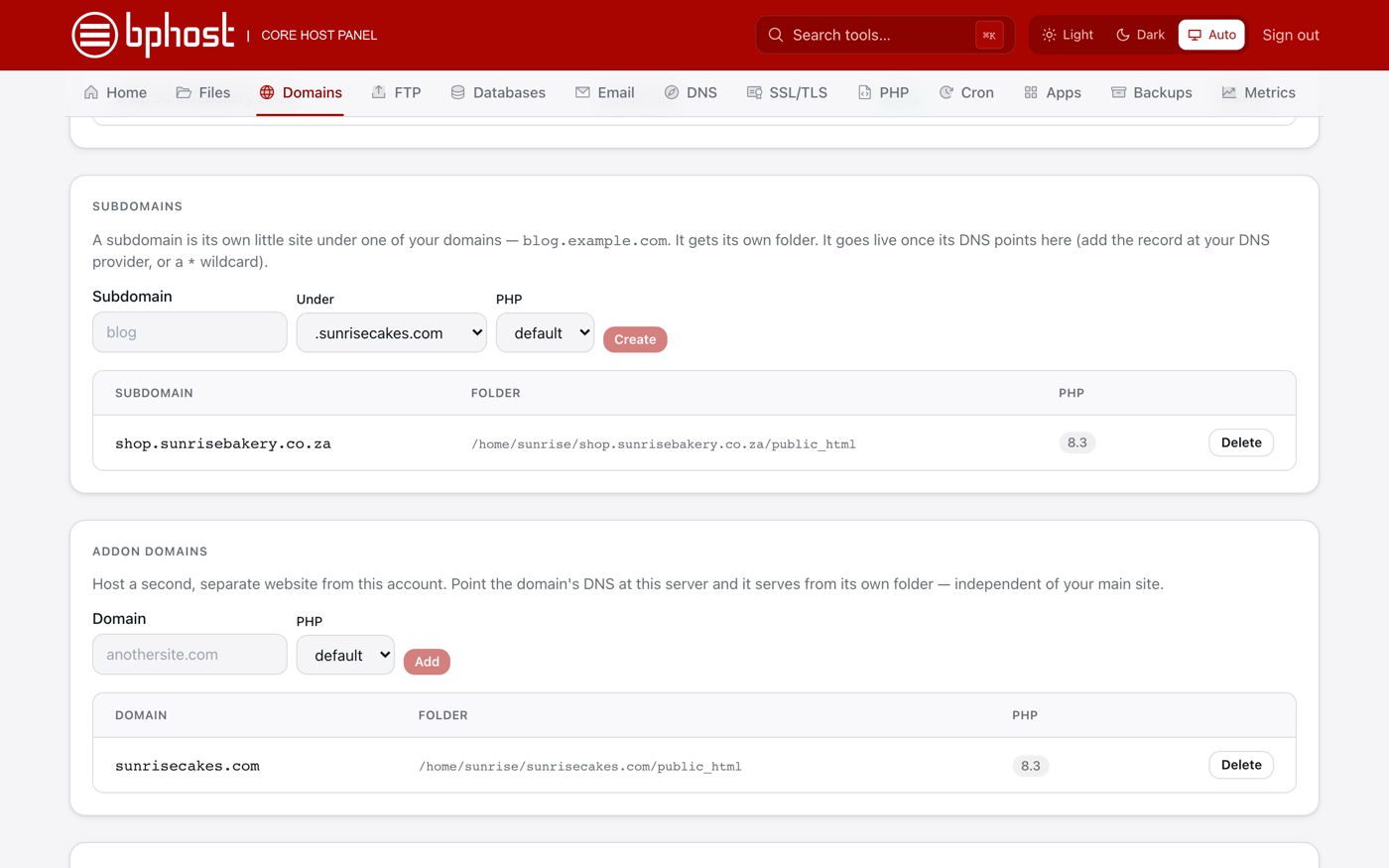
How to create a subdomain
A subdomain is a separate section of your site with its own address, like blog.yourdomain.co.za or shop.yourdomain.co.za. They are free to create in CHPanel and each gets its own folder.
Create a subdomain
- Sign in to CHPanel, open the Domains tab and click Subdomains.
- In Subdomain, type the name (for example blog).
- In Under, pick the domain it belongs to (yourdomain.co.za).
- Choose a PHP version — the newest is right unless your app needs an older one.
- Click Create.
Where its files go
The subdomain gets its own folder, /home/yourusername/blog.yourdomain.co.za/public_html, next to your main public_html — not inside it. Upload that section's files there with File Manager, or install WordPress on the subdomain from the Apps tab.
Making it load
If your domain uses BPHOST's nameservers (ns1.bphost.biz and ns2.bphost.biz), the subdomain should start working shortly after you create it, and a free SSL certificate is issued once its DNS points at the server. If your DNS is hosted elsewhere, add an A record for blog.yourdomain.co.za pointing at the server IP shown in CHPanel. Not loading after an hour or so? Open a support ticket.
Tip
Want a subdomain to point to another server instead (for example a hosted shop)? Do not create it here — add a CNAME or A record in the DNS tab instead, or ask our team.