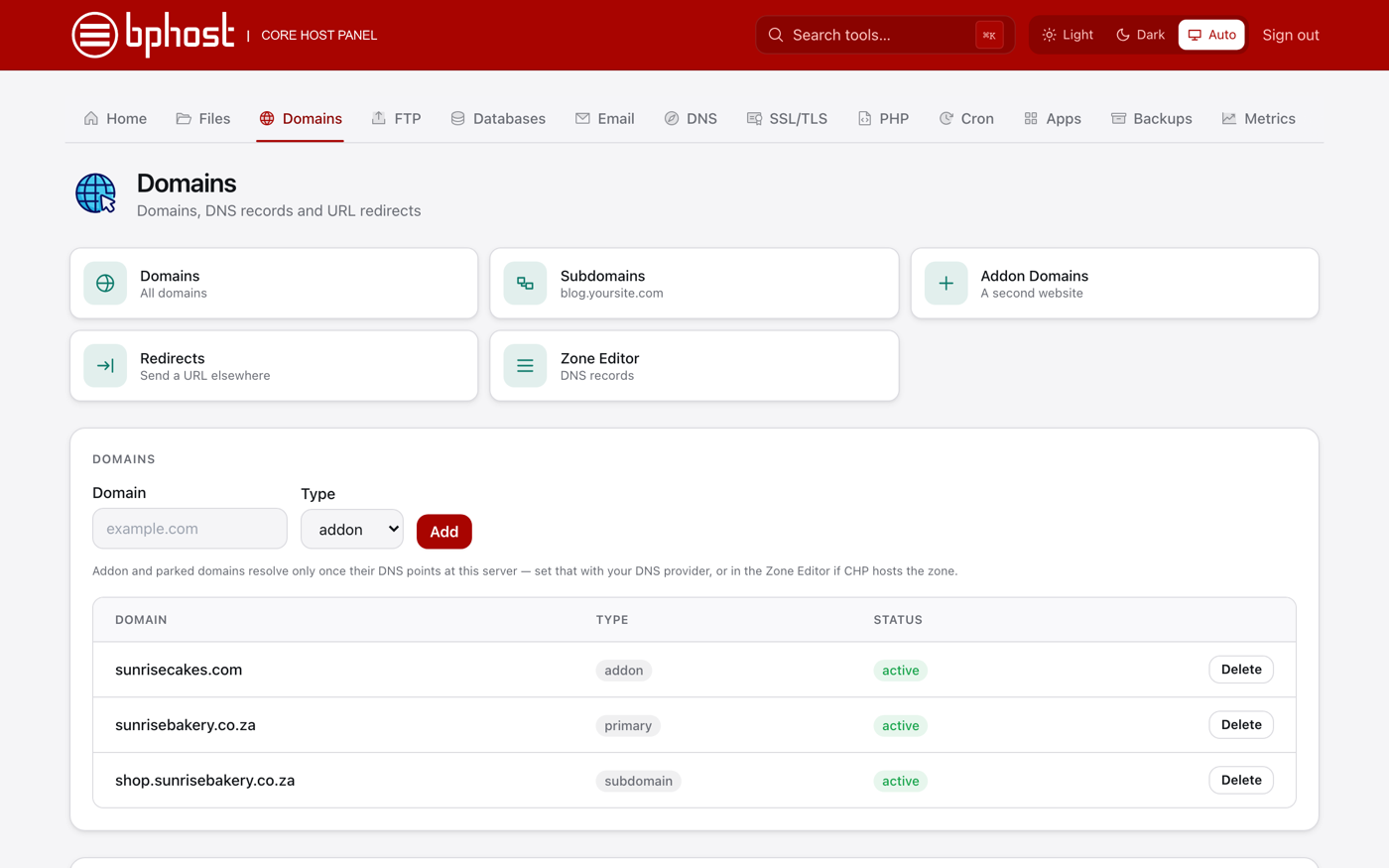
How to add an addon domain
An addon domain lets you host a completely separate website — with its own domain — on the same hosting account. Great for running a second site from one plan.
Add the domain
- Sign in to CHPanel, open the Domains tab and click Addon Domains.
- Type the domain name (for example seconddomain.co.za) in Domain.
- Choose a PHP version and click Add.
CHPanel creates a separate folder for the new site, /home/yourusername/seconddomain.co.za/public_html. It sits next to your main public_html, not inside it, so the two sites never mix.
Point the domain at BPHOST
The addon site only loads once the domain points at our server. At the domain's registrar, set the nameservers to ns1.bphost.biz and ns2.bphost.biz. If its DNS is managed elsewhere, create an A record pointing at the server IP shown in CHPanel instead. DNS changes take a few hours. Once the domain resolves here, a free SSL certificate is issued automatically and appears under SSL/TLS.
Build the second site
Upload the site's files into its public_html folder with File Manager or an FTP account, or install WordPress on it from the Apps tab. Email addresses for the new domain are created under Email → Email Accounts — pick the new domain from the dropdown.
Parked or alias domains
Want a second domain to show the same site as your main one? There is no separate "parked domain" tool in CHPanel — open a support ticket and we will set it up for you.