What is an SSL certificate and why you need one
An SSL certificate encrypts the connection between your website and your visitors, shown by https:// and the padlock in the address bar.
Why it matters
- Security — protects passwords, form data and payments from being intercepted on the way.
- Trust — visitors see the padlock; browsers warn people away from sites without https.
- SEO — search engines favour secure sites.
The good news
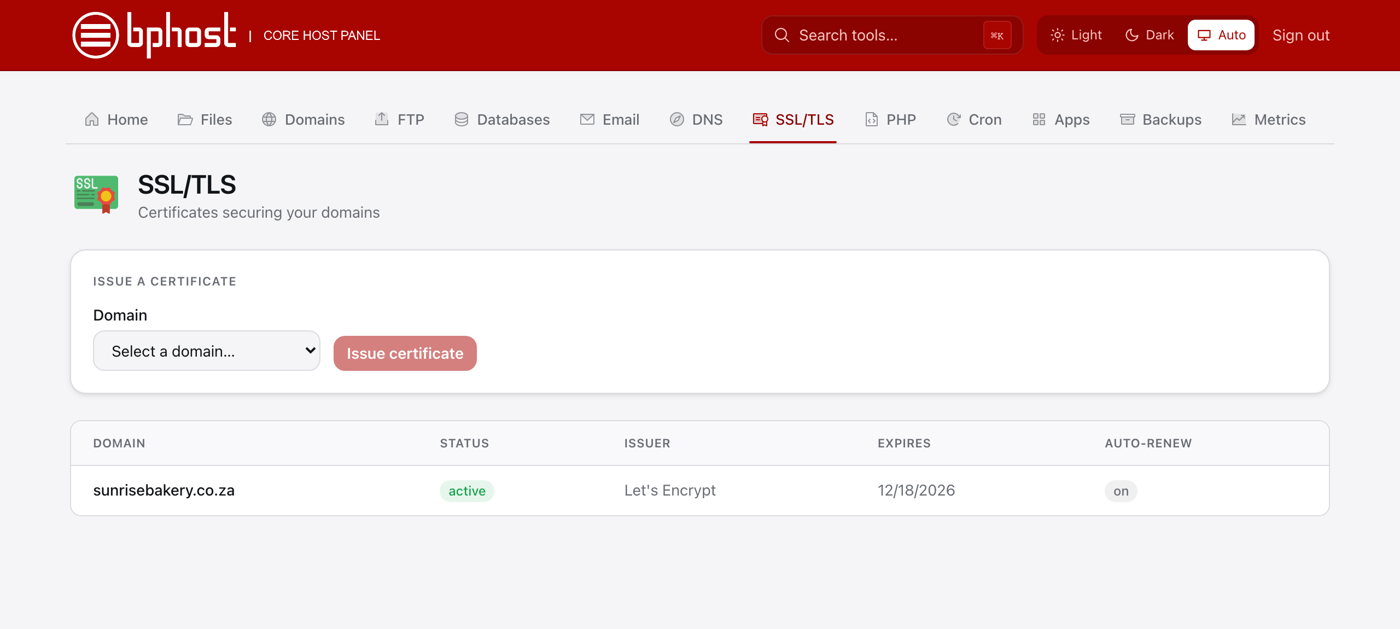
Every BPHOST hosting account includes free Let's Encrypt certificates. A domain added in CHPanel gets one automatically once its DNS points at our server, and CHPanel renews it for you (Auto-renew: on) — there is nothing to buy and nothing to remember.
Check yours
- Sign in at chpanel.bphost.biz with your hosting account email address and CHPanel password.
- Open the SSL/TLS tab. Each domain is listed with Status, Issuer and Expires.
- No certificate for a domain? Choose it under Issue a certificate and click Issue certificate — see our guide on installing a free SSL certificate.
Next steps
Once the certificate is active, make sure everyone lands on the https:// version — a redirect under Domains → Redirects or a rule in .htaccess does it (the install guide has the lines) — and fix any http:// images or scripts so the padlock shows. Questions about certificates? Open a support ticket.