How to keep your account secure
A few simple habits keep your BPHOST account, website and email safe.
Protect your three logins
You have three separate passwords: your client area (www.bphost.biz/my), CHPanel (chpanel.bphost.biz) and each email mailbox. Make every one strong and unique — never reuse a password between them or with other websites.
Turn on Two-Factor Authentication in CHPanel
- Sign in to CHPanel and open the Security tab.
- Click Two-Factor Authentication.
- Scan the QR code with an authenticator app on your phone and enter the 6-digit code it shows.
From then on CHPanel asks for a code after your password. On your own computer, tick Remember this browser for 30 days so you are not asked every time.
Block troublesome visitors
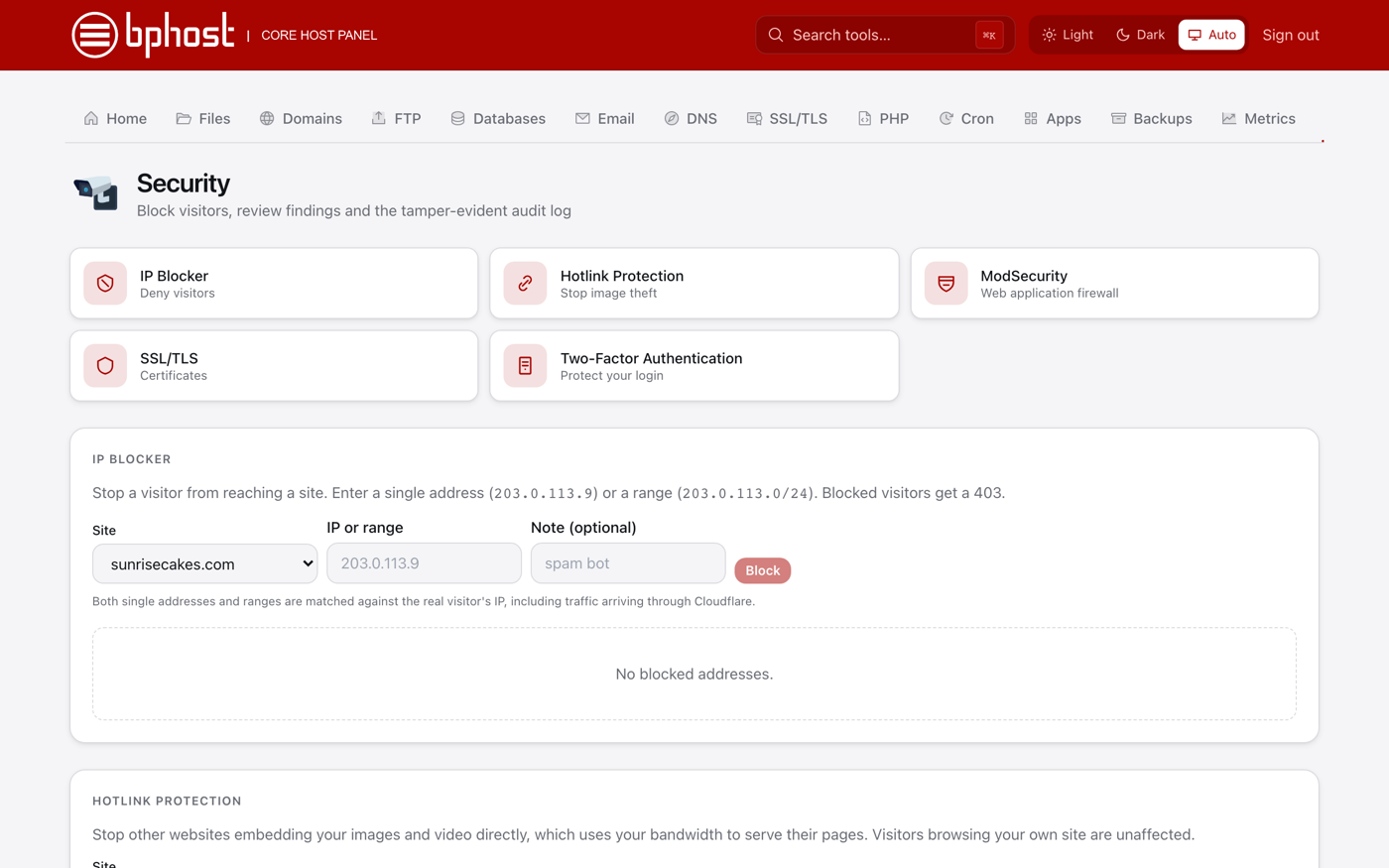
Seeing attacks or spam from one address? In the Security tab open IP Blocker, choose the Site, enter the IP or range (for example 203.0.113.4 or 203.0.113.0/24), add a note and click Block. Blocked visitors get a 403 error. Security Advisor, on the same tab, lists findings and a log of changes made to your account.
Keep your site safe
- Keep WordPress, themes and plugins updated.
- Make sure your site uses https — free SSL is included and renews itself.
- Nightly backups are kept for seven days; the Backups tab lets you restore.
Watch for scams
Be wary of emails asking you to verify a password or click a link. Type www.bphost.biz/my or chpanel.bphost.biz yourself rather than following an email link. BPHOST staff will never ask for your password. Spotted something odd? Tell us.