Addon, subdomain and parked domains explained
CHPanel gives you a few ways to handle extra domain names on one hosting account. Here is what each does, so you can pick the right one.
The three types
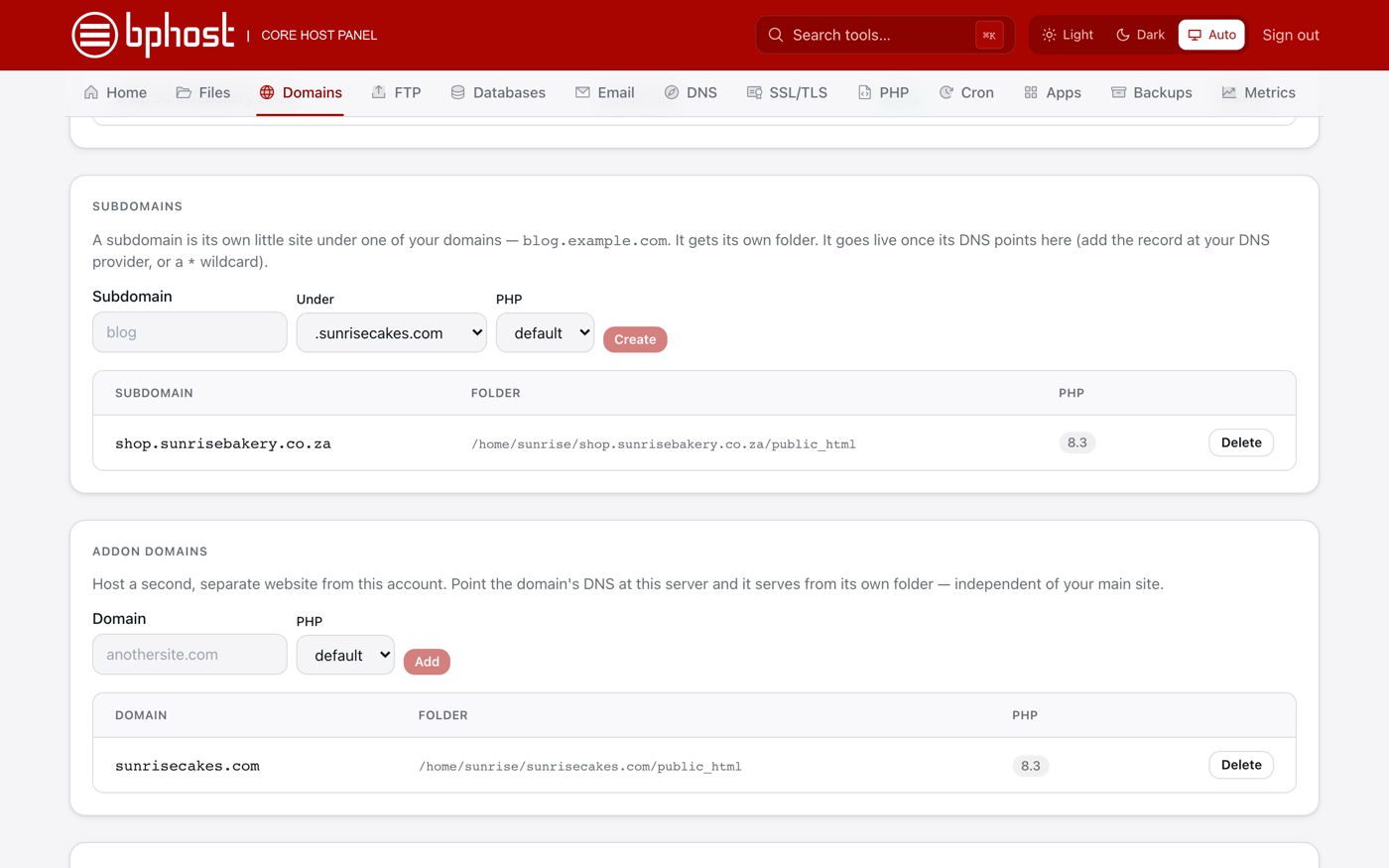
- Subdomain — a branch of a domain you already have, like blog.yourdomain.co.za. Free, and great for a separate section of your site. It gets its own folder, for example /home/yourusername/blog.yourdomain.co.za/public_html.
- Addon domain — a completely separate website with its own domain name, hosted on the same account. It also gets its own folder (/home/yourusername/otherdomain.co.za/public_html). Use it to run several sites from one plan.
- Parked / alias domain — a second name (for example a .com) that should show the same website as your main domain. CHPanel does not have a separate parked-domain tool: add the domain as an addon domain and use Redirects to send it to your main site, or open a ticket and we will set it up for you.
Where to set them up
- Sign in at https://chpanel.bphost.biz with your CHPanel login.
- Click the Domains tab.
- For a subdomain, open Subdomains: type the name, choose the domain it sits Under, pick a PHP version and click Create.
- For an addon domain, open Addon Domains: enter the domain, pick a PHP version and click Add. It only loads once its DNS points at our server — set the nameservers to ns1.bphost.biz and ns2.bphost.biz at the registrar, or use Zone Editor if BPHOST already hosts its DNS.
Which should I use?
Separate site: addon domain. Section of your main site: subdomain. Same site under another name: addon domain plus a redirect. Every domain on the account is listed under Domains, and each gets a free Let's Encrypt SSL certificate once its DNS points at BPHOST. Unsure? Open a support ticket.