How to install WordPress
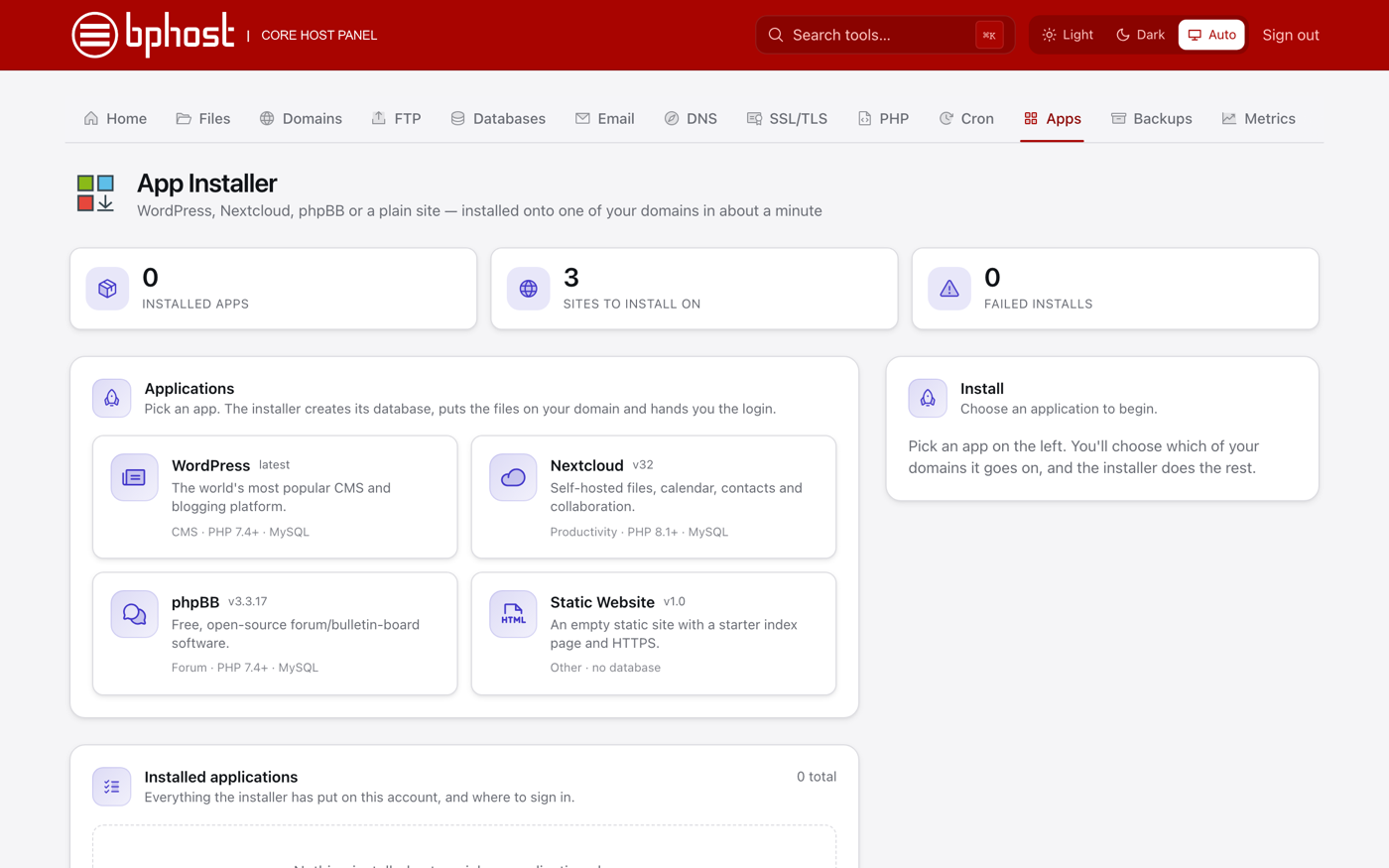
WordPress is the most popular way to build a website, and you can install it in a few clicks with CHPanel's App Installer. It creates the database and puts the files in place for you.
Install WordPress
- Sign in at chpanel.bphost.biz with your hosting account email address and CHPanel password, then open the Apps tab.
- Pick WordPress from the apps on the left.
- Choose which of your domains it goes on. Leave the sub-directory blank to install at your main address (yourdomain.co.za), or type one such as blog for yourdomain.co.za/blog.
- Enter a Site title, an Admin username (avoid "admin") and your admin email address.
- Click install and wait a moment. CHPanel then shows your login details.
- Copy the admin password now. It is shown only this once and is not stored anywhere.
After installing
Sign in at yourdomain.co.za/wp-admin with the username and password you copied. Your installed applications stay listed on the Apps page with where to sign in. From the WordPress dashboard, pick a theme, add pages, and keep WordPress, themes and plugins updated — App Installer installs, it does not update for you.
Tip
If you used Softaculous in cPanel before, App Installer is its replacement. Your domain must already point at BPHOST for the site and its free SSL certificate to work. Forgot to copy the password? Use Lost your password? on the WordPress login page — see our reset guide. Need a hand? Open a support ticket.